
Credit notes
Customer credit for returns and warranty claims.
Sales → Credit Notes (permissions 628 create / edit, 629 delete).
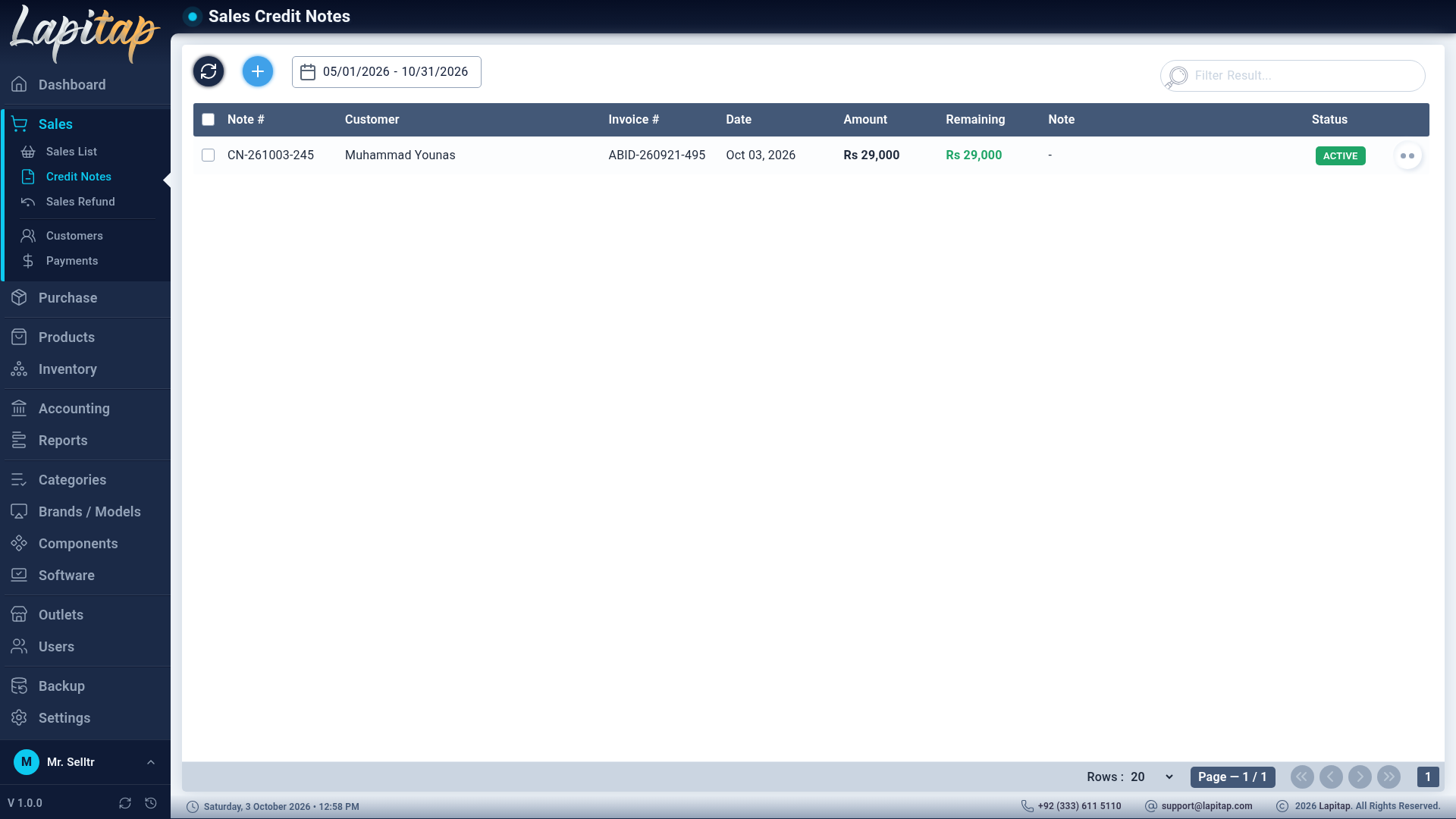
A credit note is store credit owed to a customer against a sale invoice. Choose a mode:
Return#
The customer returns some or all of the products.
- Pick the invoice. The form loads what can still be returned — sold quantity minus what was already refunded or credit-noted — and you cannot return more.
- Credit math: the returned value first reduces any outstanding balance on the invoice; only the part covered by money the customer has already paid becomes usable credit. If nothing was paid, the note would be worth nothing and you are pointed to Sales Refund instead.
- Stock: laptops return to Available; parts go back to the invoice's outlet (or an explicit outlet).
- The invoice's refunded total and status update, and a journal entry is posted.
Warranty claim#
A money claim without returning products — per Warranty Item with a Claim Amount. Allowed only on fully settled invoices.
Form fields#
Credit Note Date, Reason, Issue Description, Warranty Item(s) (add more with Add Another Warranty Item), Claim Amount.
Using credit#
Available notes appear in Apply to Payment when collecting a payment (Collecting payments). The note tracks used and remaining amounts and which payments it funded.
The list and actions#
Date range (default today), search by code / customer. Columns: code, customer, source invoice, date, amount, remaining credit, reason, status. Actions: View (full detail incl. returned items, amounts, used/remaining and the payments it was applied to) and Delete.
- Only Active notes can be edited or deleted; used or cancelled notes cannot. A note with any credit already used cannot be deleted.
- Editing reverses the old stock effect and journal entry and applies the new one; deleting reverses them.