
Purchases (deals)
Record vendor invoices by category and open a deal to receive stock against.
Purchase → Purchase List (160). A purchase invoice is a deal: it buys quantities per category, and you then receive laptops and parts against it.
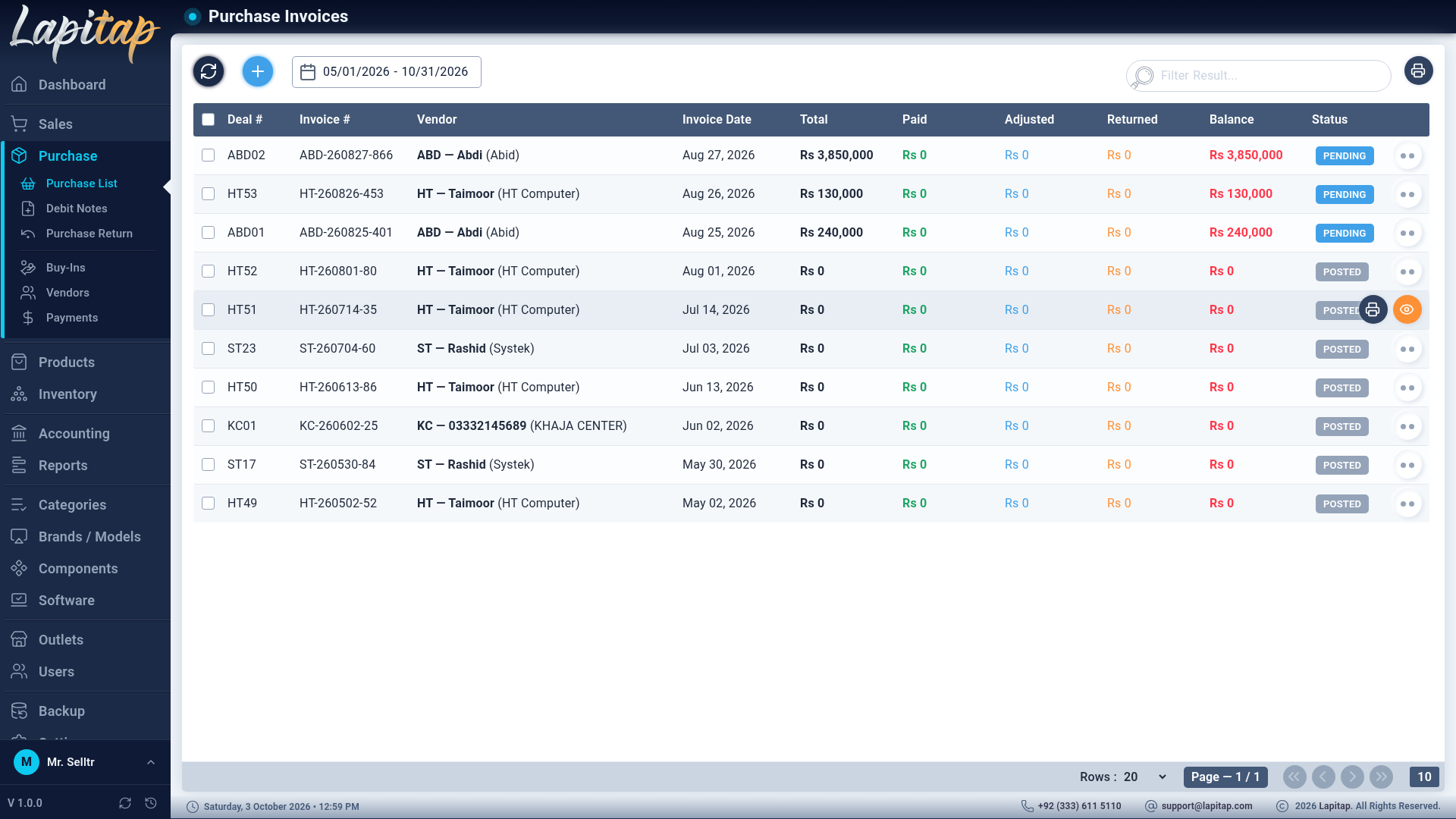
The list#
Date range (default today), search by deal code or vendor, refresh, + (161). Columns: deal and invoice codes, vendor, dates, Total / Paid / Adjusted / Returned / Balance, status badge. Print Purchases List prints the range with totals.
Create a purchase#
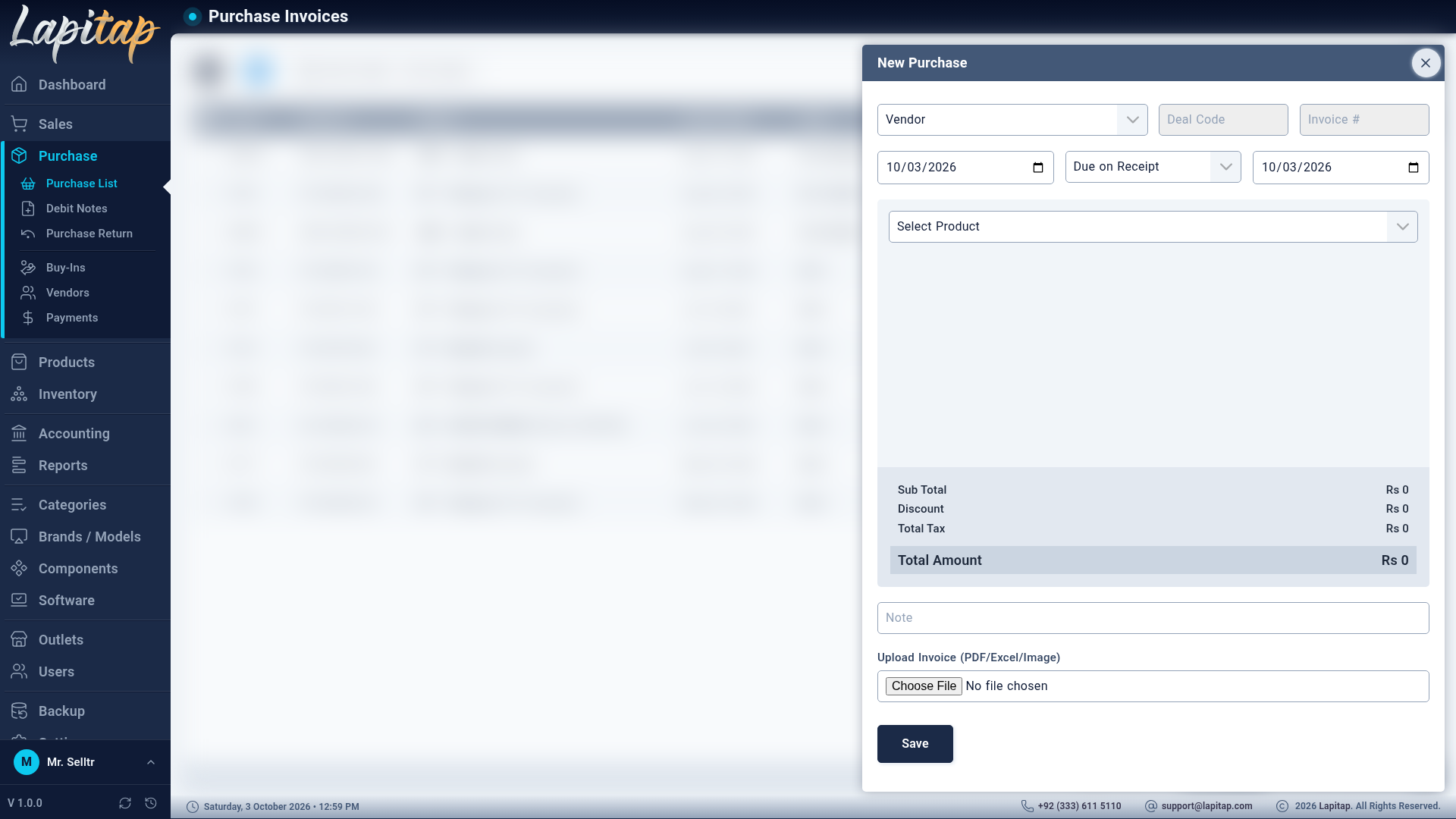
| Field | Notes |
|---|---|
| Vendor | Required. Shown as code – name – company |
| Deal Code | Required, generated when you pick the vendor: the vendor code plus the next number (e.g. V01 → V0103). Read-only |
| Invoice # | Generated: <vendor code>-<yymmdd>-<nnn>. Read-only |
| Invoice Date | |
| Payment Terms | Due on Receipt, Net 7 / 15 / 30 / 45 / 60 / 90 / 120 days, End of month, Custom — drives the Due Date. With Custom, enter Custom Due Days |
| Due Date | Calculated, editable |
| Note | |
| Upload Invoice | The vendor's PDF, Excel sheet or photo; uploaded at once |
Items#
Pick a category to add a line (one line per category — adding it twice just tells you to edit the existing one). Edit the line's Qty, Amount, Discount; tax is derived from the taxes ticked on that category. The summary shows Sub Total, Discount, Tax and Payable Amount.
Rules enforced on save: a vendor, at least one product line, and a total greater than 0. A new invoice is always Pending with nothing settled.
What it posts#
The purchase journal entry debits the category's COGS account (grouped by category) and input tax, and credits Accounts Payable. See How the books work.
Edit and delete#
- Edit (162) and Delete (163) are only for Pending, unpaid invoices. Delete reverses the journal entry; Cannot delete purchases with payments or non-pending status otherwise.
- Edit re-posts the journal entry. Vendor, status and settlement totals can never be edited here — they belong to the payment, debit-note and return flows.
Pay#
Make Payment appears while a balance remains — see Purchase payments.
View#
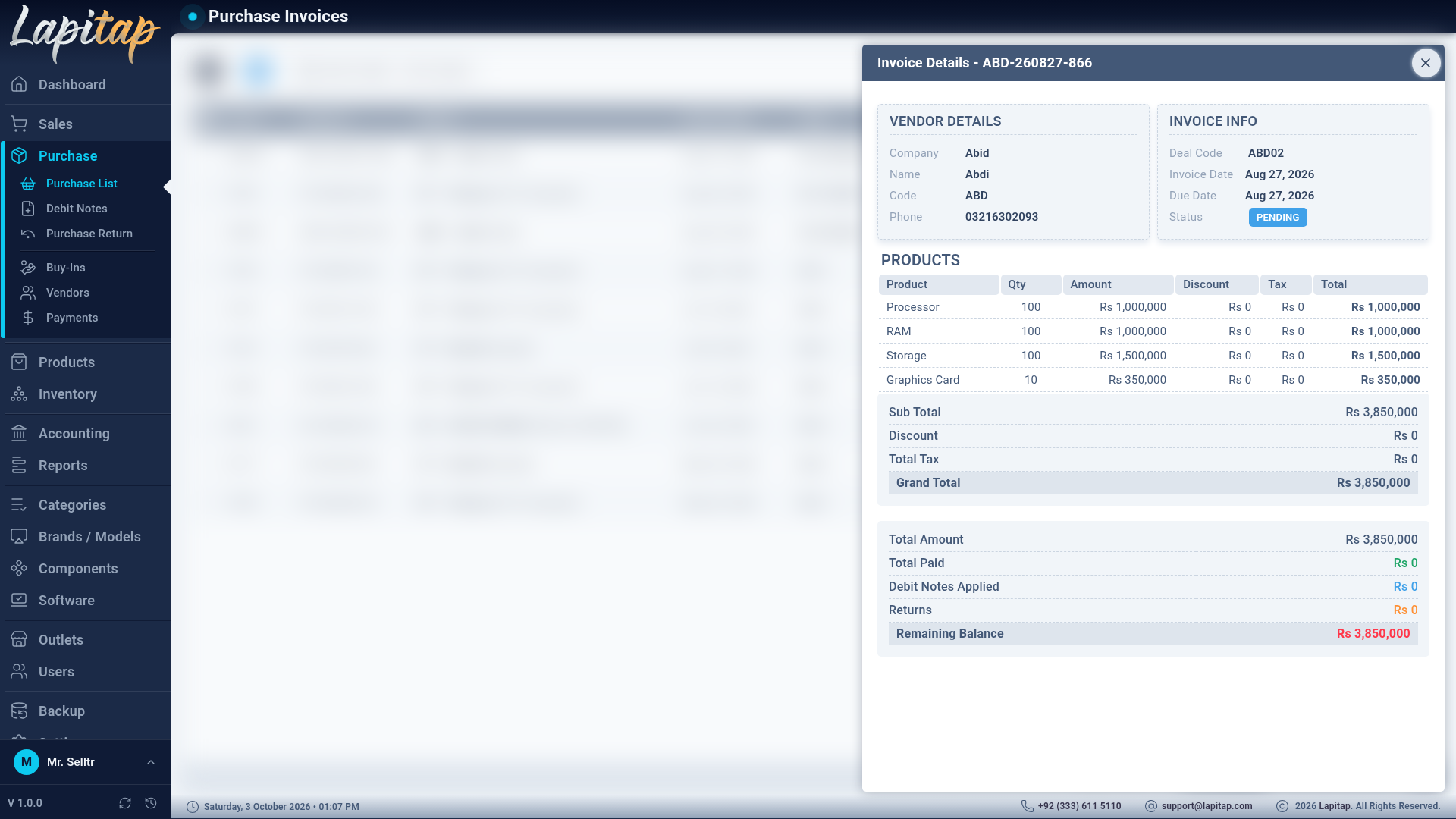
The invoice view shows the vendor, invoice info, product lines, totals, returns / debit notes / warranty claims made against it, the payment history, debit notes applied, and the remaining balance breakdown.
TIP
The deal code you see here is the prefix of the Product IDs of the laptops you will receive. Use Deal filters on laptop lists and the Deal Report to follow a purchase to the last unit.