
Backups & restore
Schedule automatic backups, take one now, download, e-mail and restore.
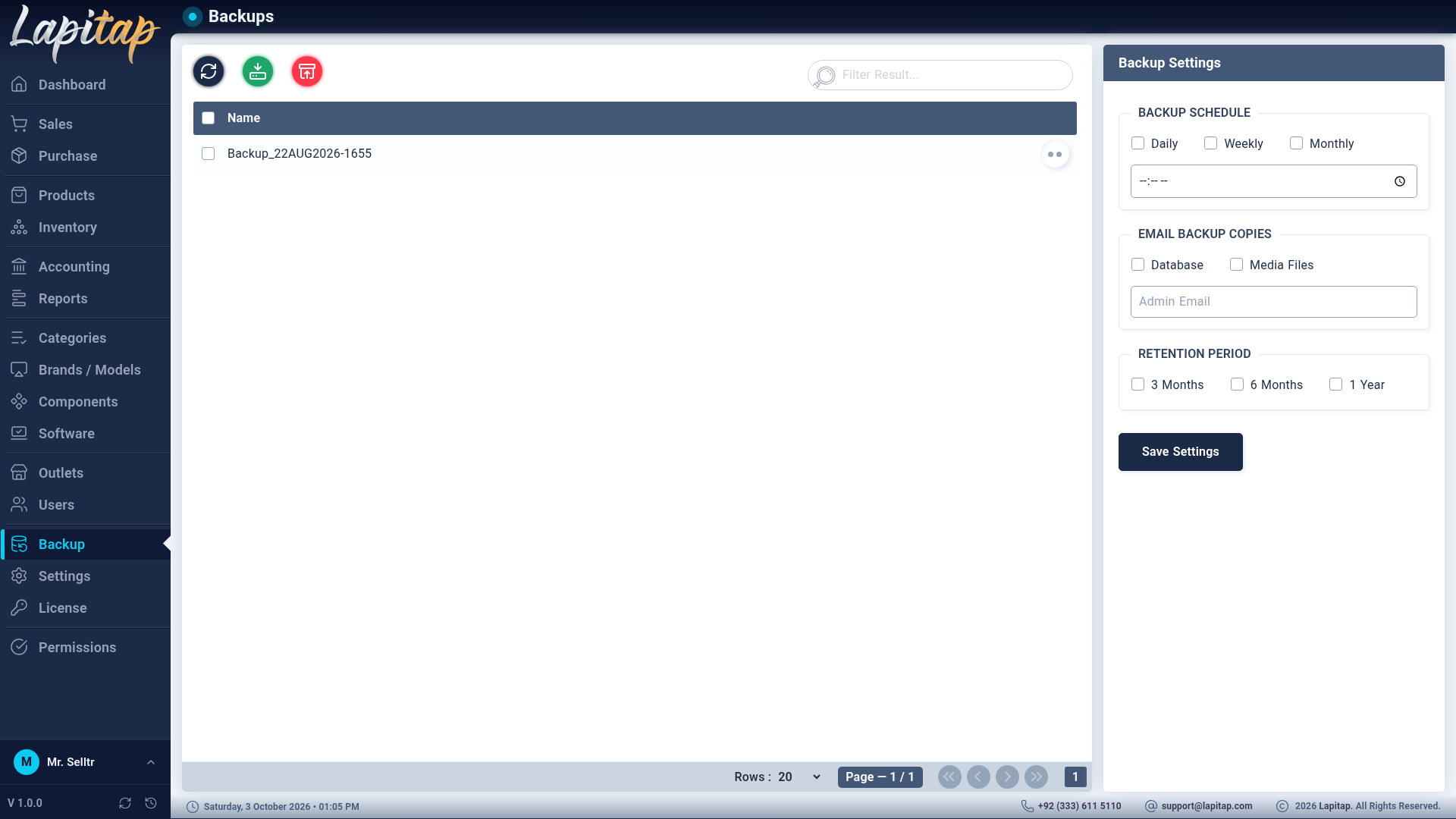
Backup (permission 360). Left: the backup list. Right: the schedule settings (for users who may change settings).
What a backup contains#
| Part | Contents | How |
|---|---|---|
| Database | All business data | mongodump, zipped (needs the MongoDB Database Tools on the server) |
| Media | Uploaded photos, receipts, invoices, logos | A zip of the media folder |
Archives are named with a date-time stamp (e.g. 31JUL2026-1430). The backups collection itself is excluded, so backup history survives a restore.
Take a backup now#
Use the create button (361). A Taking Backup, please wait… message runs; both archives are made, an e-mail copy is sent if configured, and old backups past retention are cleaned up.
The list#
Each row offers (with its permission):
| Icon | Action | Code |
|---|---|---|
| Database | Download the database archive | 362 |
| Image-down | Download the media archive | 362 |
| Archive-restore | Restore this backup | 364 |
| Trash | Delete the backup (files and record) | 363 |
Select several to delete them together. Downloads are only served from inside the backup folder and only as .zip.
Schedule settings#
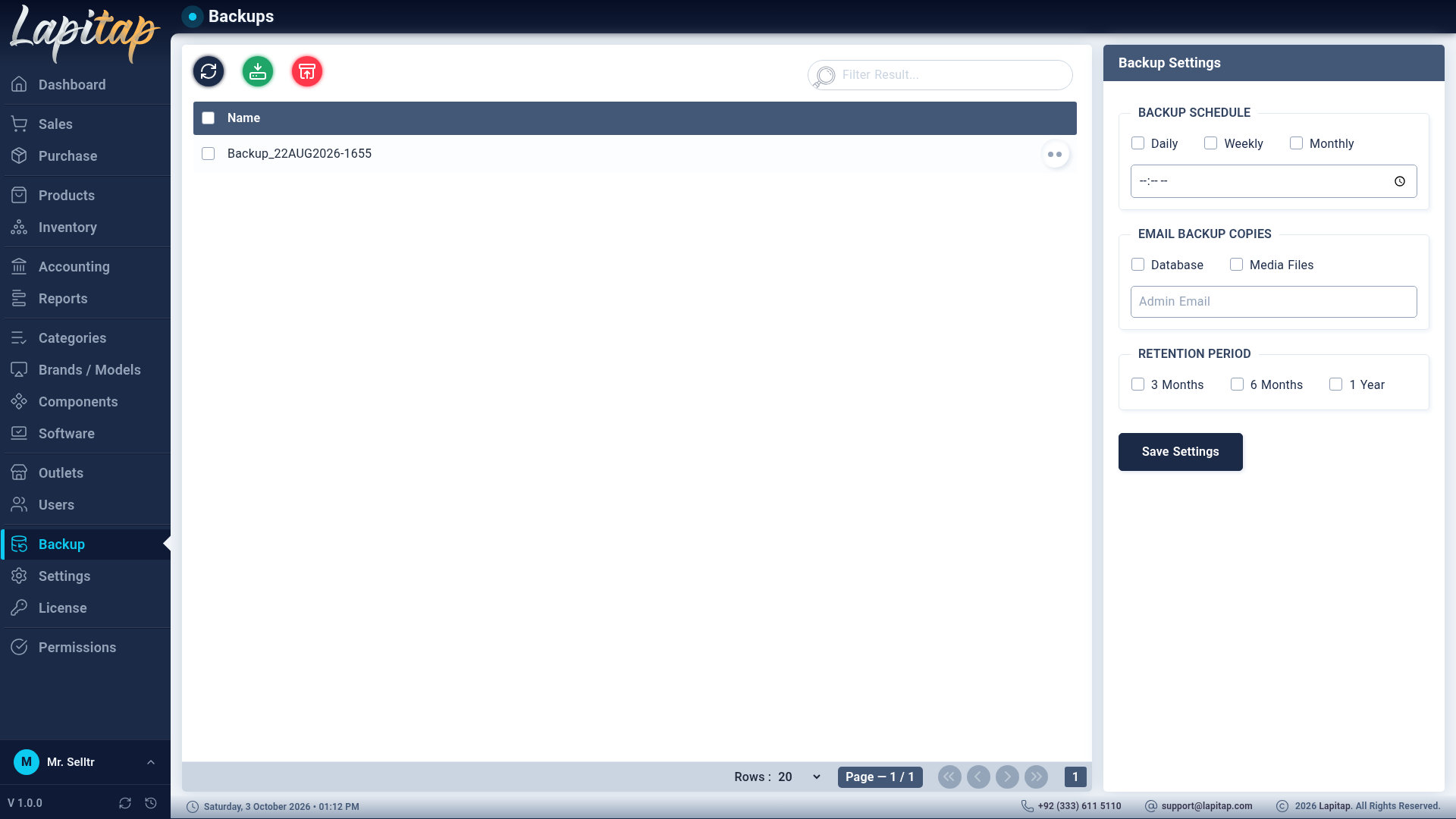
| Setting | Options |
|---|---|
| Backup Schedule | Daily, Weekly (Sundays) or Monthly (the 1st) |
| Backup Time | Time of day |
| Email Backup Copies | Database and/or Media Files — sent to Admin Email (needs SMTP) |
| Retention | 3 Months, 6 Months or 1 Year — older backups are deleted automatically |
The scheduler re-reads the settings every hour and recovers by itself from database disconnects.
Restore#
Restore on a backup row asks: Restoring will REPLACE all current data with this backup (a safety backup is taken first). Continue?
- A safety backup is taken first and the restore aborts if that fails.
- Every collection except backup records is dropped and restored from the archive.
Restore from Upload restores an archive you hold: choose Database or Media and upload a .zip (up to 2 GB, .zip only). A database archive must contain the .bson files from mongodump.
CAUTION
Restoring replaces current data. Everything entered after the backup was taken is lost.
TIP
Backups live in backups/ beside the application so they survive updates. Copy them off the machine regularly (or use e-mailed copies) — a backup on the same disk does not survive a disk failure. Backups and restores keep working even when the licence has expired.