Laptops, Warehouse & other lists
The laptop lists, their filters and every row action.
Laptop lists share the same filter bar and spec summary rows (code, name, processor, generation, RAM / storage, graphics card, screen, outlet).
Laptops (the selling list)#
Products → Laptops — in-stock machines for the counter.
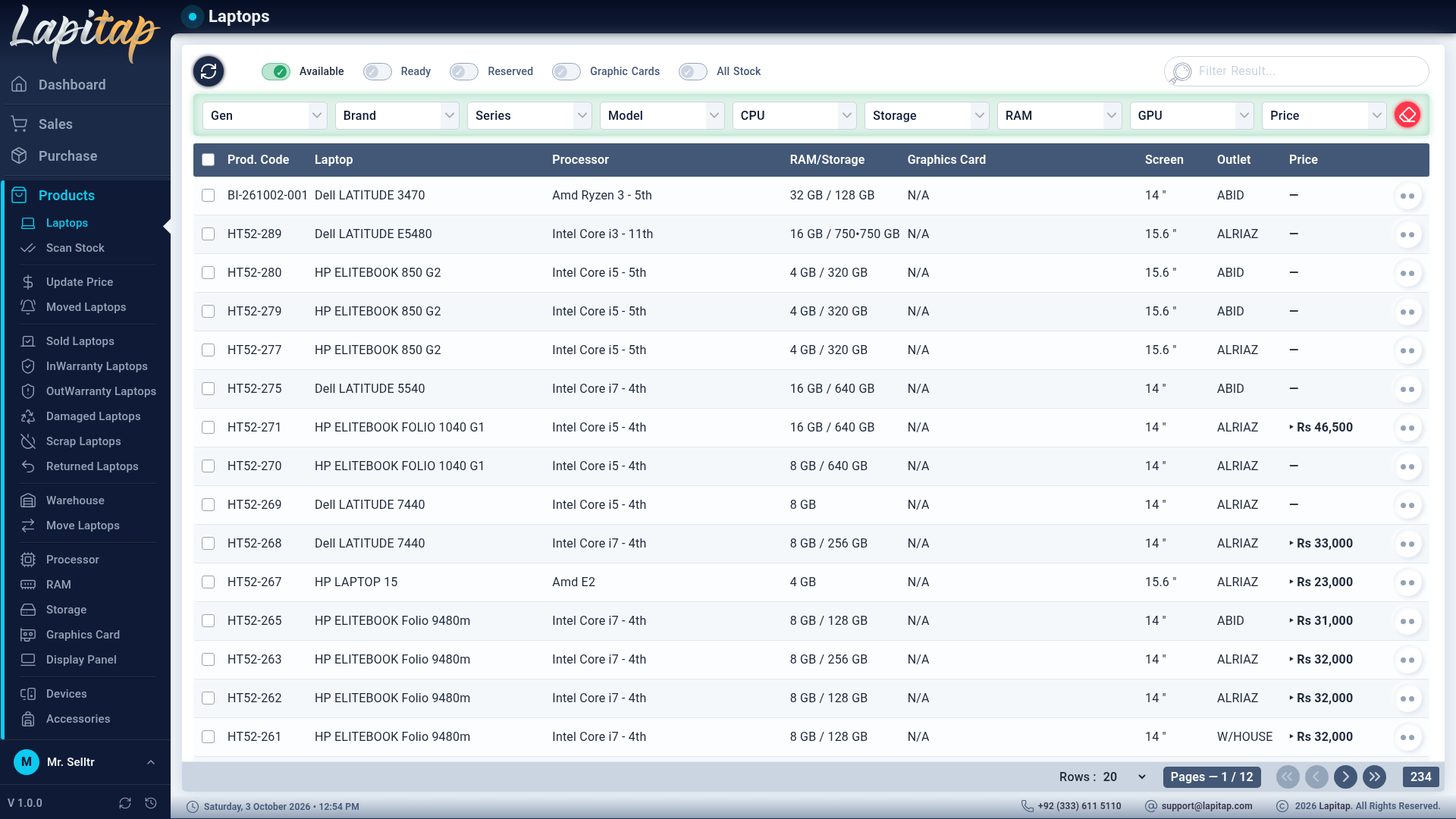
Status filter: Available, Ready, Reserved, Graphic Cards (laptops with a GPU) and All (Available + Ready + Reserved).
Row actions
| Icon | Action | Needs |
|---|---|---|
| Barcode | Queue Barcode — add the label to the print queue | — |
| Eye | View History — full life story (below) | 206 |
| Dollar | Adjust Price — opens the price form | 207 or 208 |
| Arrow-up | Upgrade — upgrade form | 209 |
| Cart | Add to Cart — only when the laptop is Available, in stock and priced | 205 |
Reserved rows are tinted. The price column shows the bargain price only while it is revealed with Ctrl+Z (Pricing).
Warehouse (the master list)#
Products → Warehouse — every laptop, defaulting to Unready Stock (anything not Sold, Scrap, Available, Ready, Moved or Reserved). Filter tabs: Unready Stock, Available, Ready, Moved, Reserved, Graphic Cards, All Laptops (everything except Sold and Scrap).
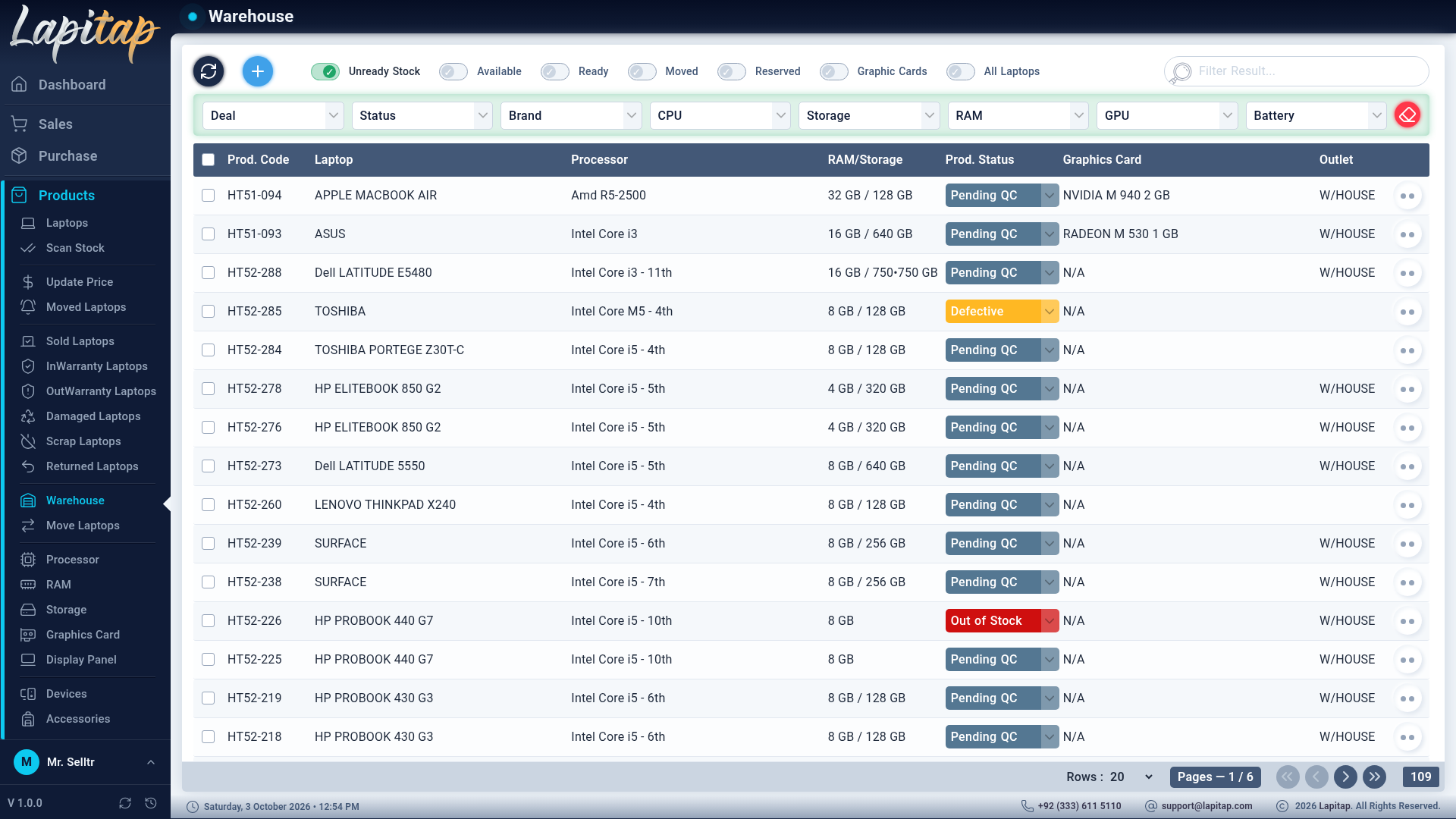
| Icon | Action | Rule |
|---|---|---|
| Status drop-down | Change status inline | Needs 210; hidden for Moved, Reserved, Sold, Returned |
| Pencil | Edit | Needs 202; not if locked, Reserved, Sold or Returned |
| Barcode / Eye | Queue barcode / history | |
| Shield-check | Warranty — warranty form | Only when status is In Warranty (needs 209) |
| Arrow-up | Upgrade | Not for Reserved, Sold, Returned |
| Trash | Delete | Needs 203; not if locked |
| Padlock | Lock / Unlock | Needs 211; not Sold or Returned |
| Copy-plus | Duplicate | Needs 201 |
NOTE
Sold can only be reached through a sale invoice. Trying to set it by hand shows a friendly note pointing you to the sales form. Reserved needs a customer and Moved needs a destination outlet.
Advanced filter#
The bar above laptop lists offers (depending on the page): Deal, Status, Generation, Brand, Series, Model, CPU, Storage, RAM, GPU, Price range, and — on Sold Laptops — a date range. Empty fields are ignored; use free-text search for anything else.
Sold Laptops#
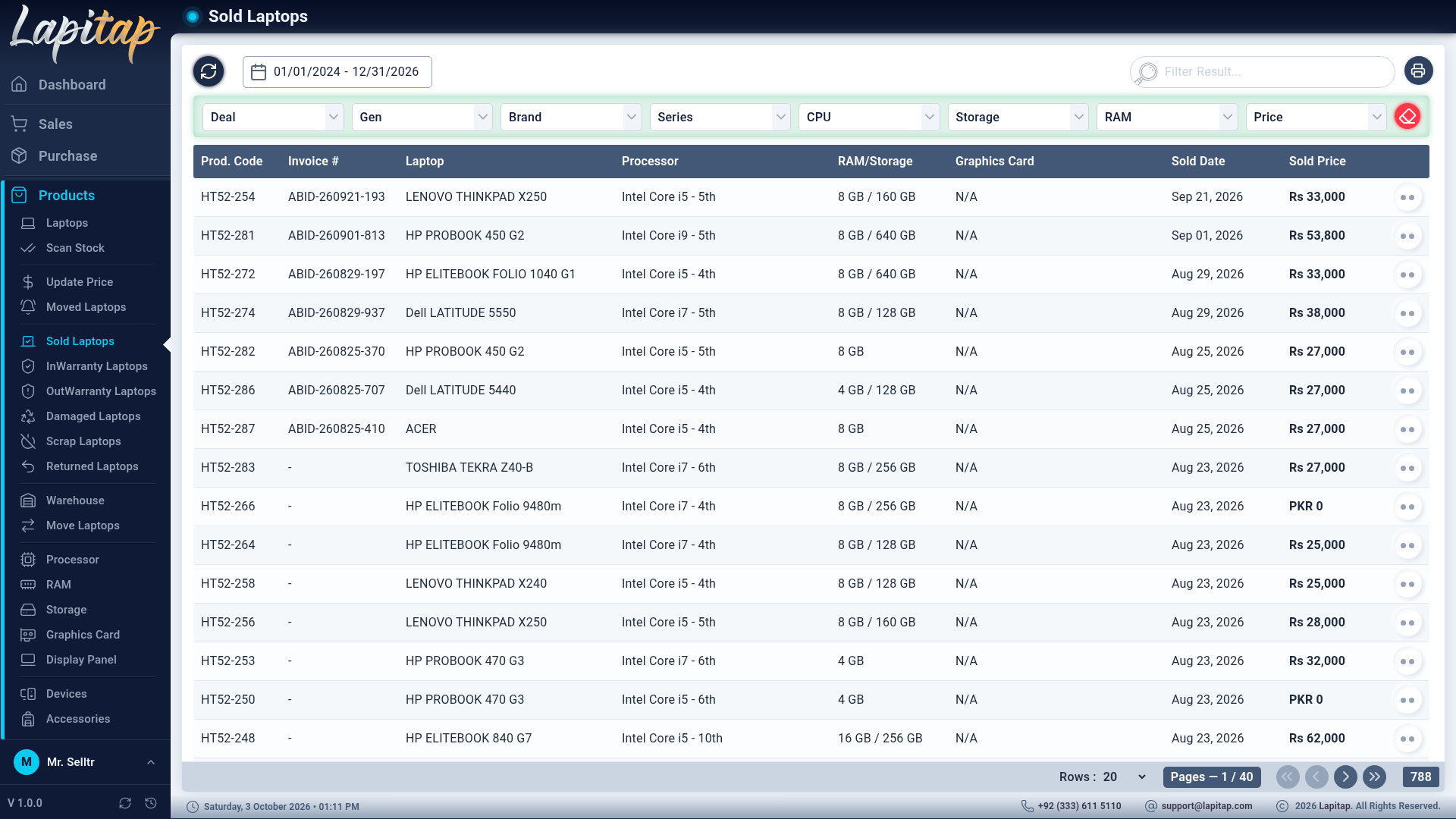
Products → Sold Laptops — laptops sold in a date range (default today) with Sold Date and the price they actually sold for (falls back to the sale price), plus the invoice code. Filter by deal, generation, brand, series, CPU, storage, RAM and price range. Action: View History. Printable (Printing).
Moved Laptops#
Laptops with status Moved arriving at your outlet. See Moving stock.
InWarranty / OutWarranty Laptops#
Laptops whose status is In Warranty / Out Warranty, with a Warranty action to open the warranty form. Printable with a total warranty cost.
Damaged, Scrap, Returned#
Read-only lists of laptops with those statuses (damaged and scrap share one page design). Searchable; printable for Damaged and Scrap.
Laptop history#
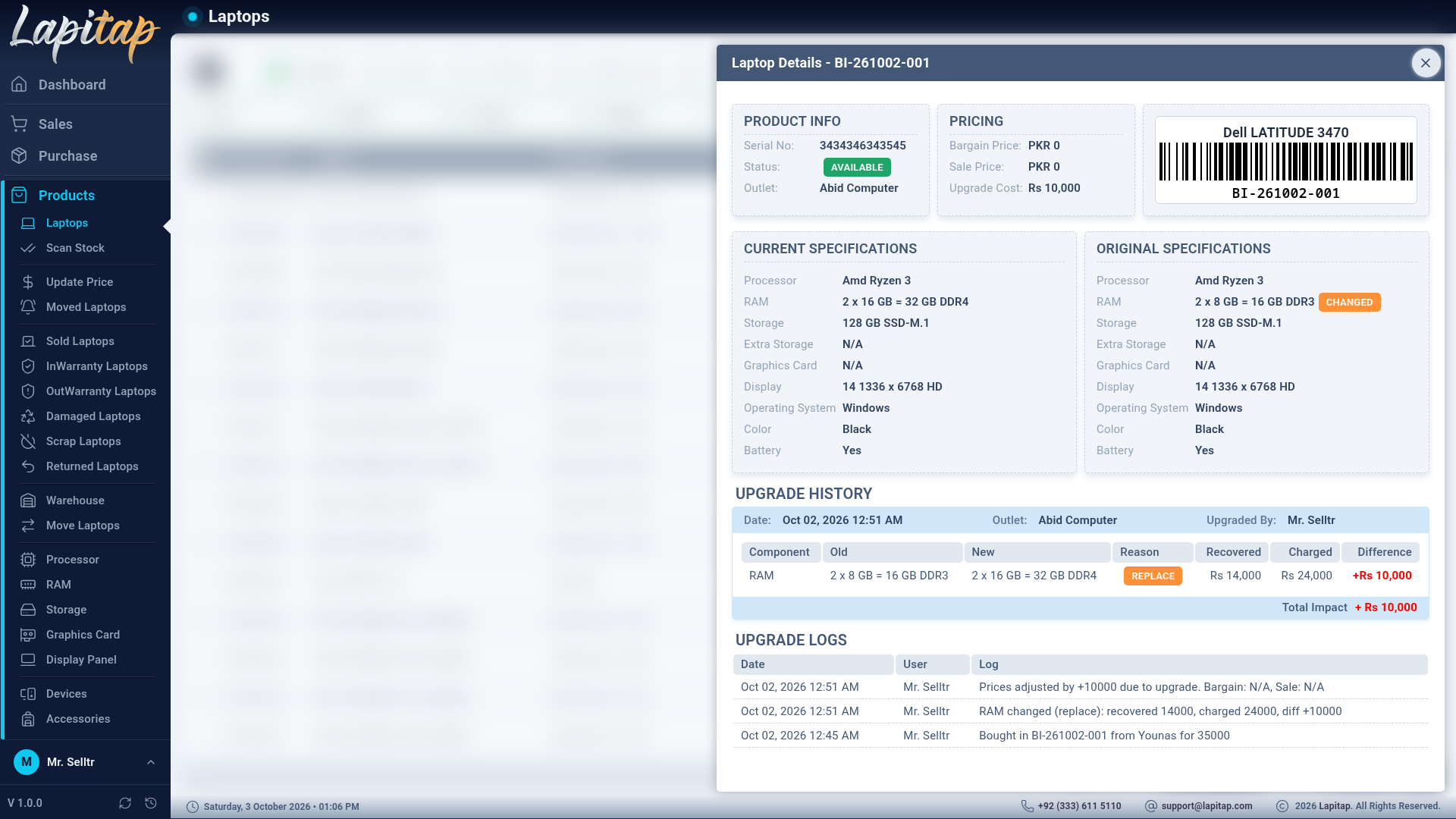
View History opens the whole story of one laptop:
- product info and barcode,
- pricing — sold, bargain, sale and upgrade cost,
- current vs. original specifications (changed parts are flagged),
- the upgrade history with the cost effect of each part,
- and the raw update log (who changed what and when).