
v1 Atlas/Catalog setup
Components
Processors, RAM, storage, graphics, display panels, features, connectivity and ports.
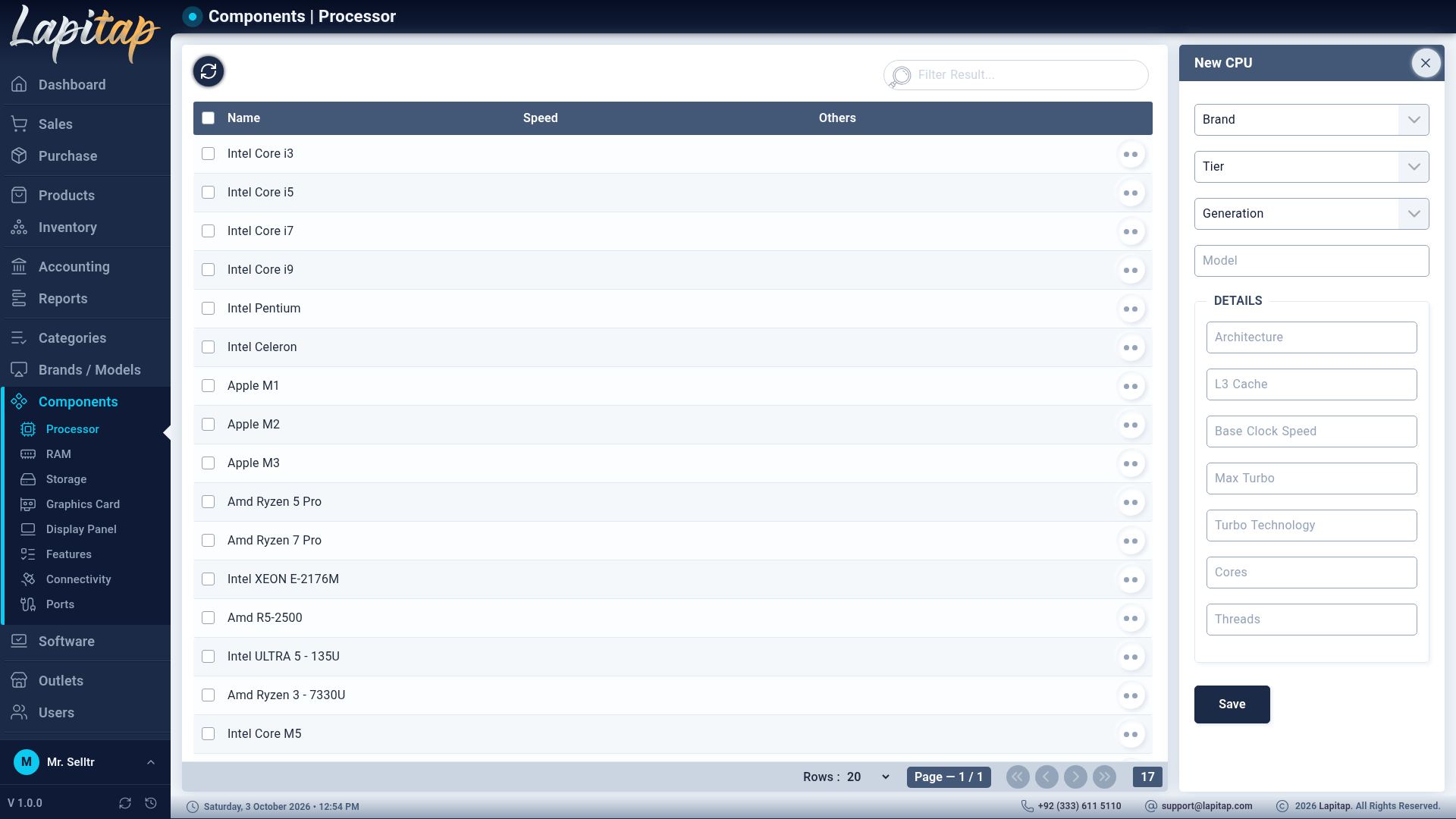
Components are the technical specs a laptop is built from. Each type has its own page under Components (permission 440), a list and a side-panel form.
| Page | Form fields |
|---|---|
| Processor | Brand, CPU Series, Generation, Model, Architecture, Base Clock Speed, Boost Clock Speed, Max Turbo, Turbo Technology, Cores, Threads, L3 Cache |
| RAM | Brand, Capacity (4–128 GB or add your own), Type (DDR3, DDR4, DDR5, LPDDR4, LPDDR5), Speed, Form Factor |
| Storage | Brand, Type (HDD-SATA, SSD-SATA, SSD-M.1, SSD-M.2, SSD-M.2 NVMe), Capacity (32 GB–4 TB or add your own), Speed, Interface, Form Factor |
| Graphics Card | Brand, Series, Model, Type (Dedicated / Integrated), VRAM, VRAM Type (GDDR5…GDDR7, LPDDR5/5X), clock speeds |
| Display Panel | Size, Resolution, Display Panel type, Aspect Ratio, Refresh Rate, Brightness, Touchscreen, Surface Finish |
| Features | Name, Type (Security / Multimedia / Display) |
| Connectivity | Name, Type (WiFi / Bluetooth) |
| Ports | Name, Type (USB / Display / Thunderbolt / Audio / Network) |
Capacity boxes are searchable with Add New, so an unusual size can be created on the spot.
How components are used#
- On the laptop form they become drop-downs (processor, RAM slots 1–4, storage, extra storage, graphics card, display) and tick-boxes (features, connectivity, ports).
- To stock and sell a part (a RAM stick, an SSD) you also create a product linking the component — see Parts, devices & accessories.
- A component spec can be linked to only one product record.
- Editing a component refreshes laptops and upgrades that reference it.