
Categories
Product categories, the ledger accounts they post to, and the taxes that apply.
Categories organise products and tell the accounting engine where to post. They form a tree: a child that does not define its own accounts inherits them from its parent or grandparent.
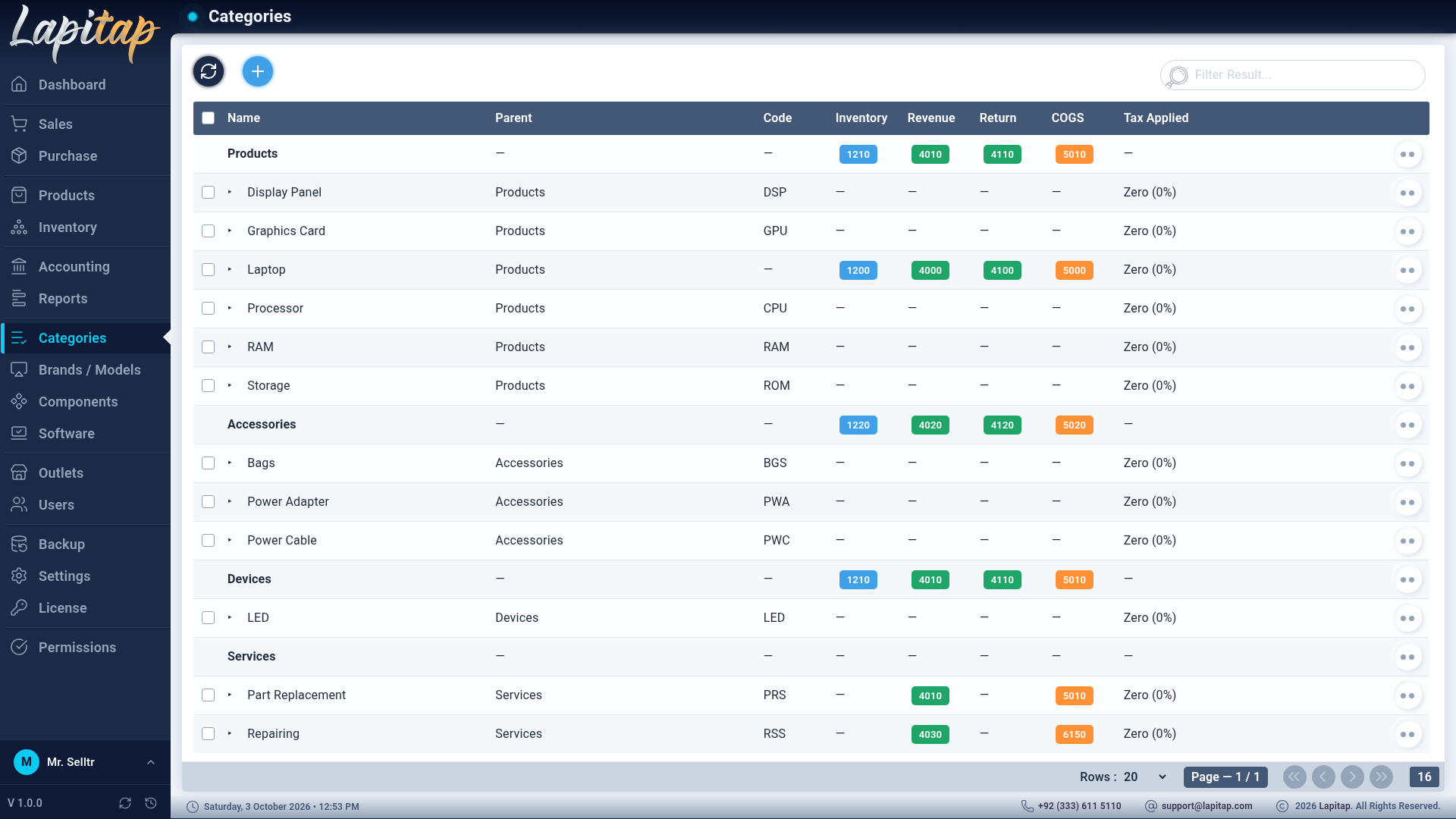
The list#
Parents appear in bold with their children indented. Each row shows the account codes as badges and the taxes applied. Row actions: Edit, Delete, and Lock / Unlock — a locked category cannot be edited or deleted. A new category cannot reuse a name already used under the same parent.
The form#
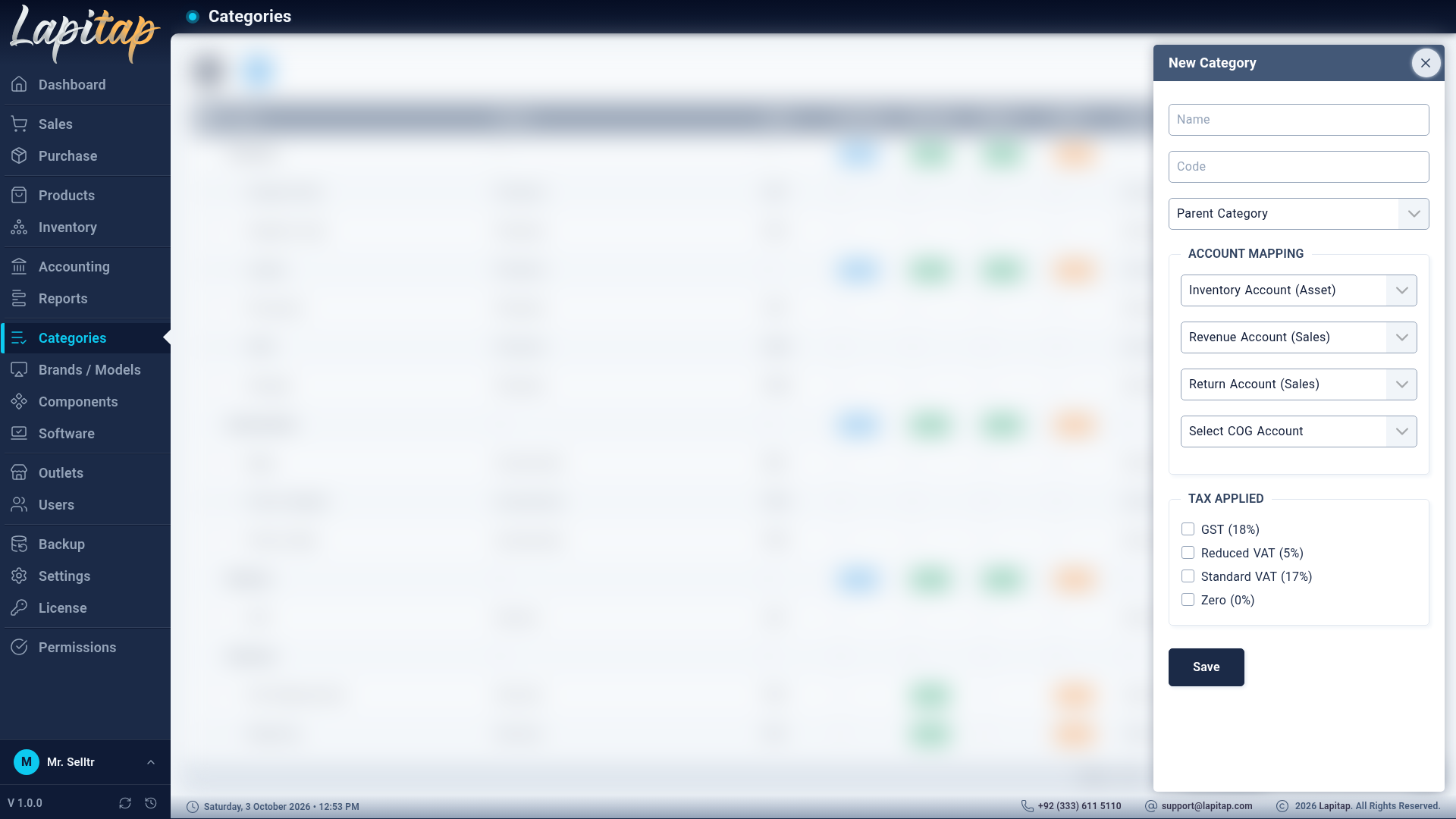
A pop-up opened with +.
| Field | Meaning |
|---|---|
| Name, Code | Identity. The code prefixes product codes for non-laptop items |
| Parent Category | Top-level categories only |
| Inventory Account (Asset) | Where stock value is tracked |
| Revenue Account (Sales) | Credited when the category is sold |
| Return Account (Sales) | Debited on sales returns and refunds |
| COG Account | Cost of goods — debited when you purchase the category |
| Taxes | Tick the taxes charged on sales and purchases of this category |
WARNING
Choose accounts before the first transaction. Sales, purchases, returns and refunds look them up here, and changing them later does not re-post history. If a category has no account mapping (and neither does its parent), saving a sale or purchase for it fails with No account mapping found for category.
How these accounts are used is explained in How the books work.