
v1 Atlas/Inventory
Warranty claims
Track component-level warranty claims on a laptop.
Each laptop has one warranty record that holds a list of component issues.
Opening it#
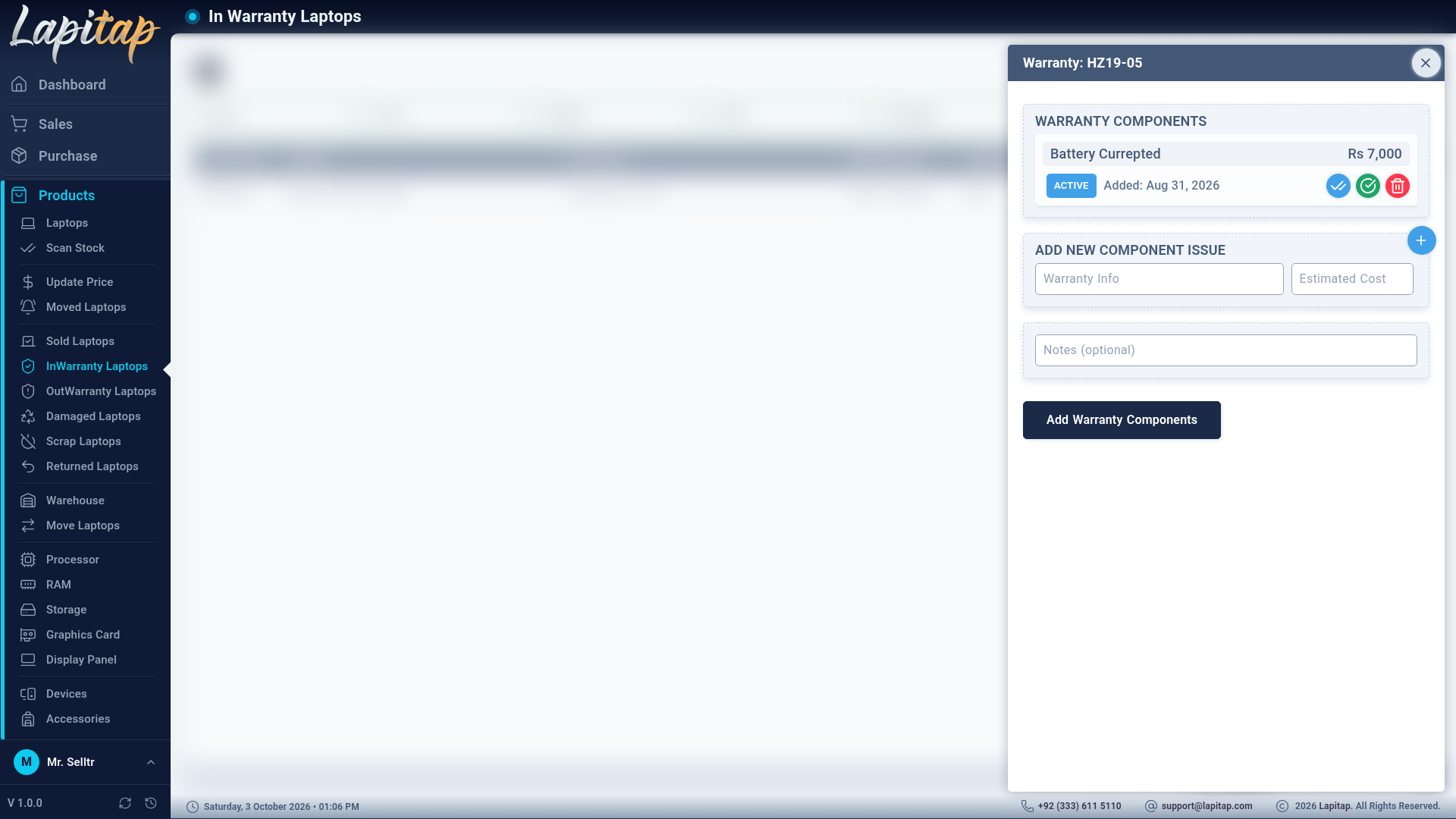
The Warranty icon (shield-check) on a laptop whose status is In Warranty — in the Warehouse or the InWarranty Laptops list — opens the Laptop Warranty form (permission 202 to change). Only laptops can have warranty records.
Adding issues#
Add Row for each faulty component:
| Field | Meaning |
|---|---|
| Warranty Info | Component name / what failed |
| Estimated Cost | What it would cost if the vendor does not honour the warranty |
| Notes (optional) | Details |
At least one component with a name is required.
Component status#
| Status | Meaning | Next |
|---|---|---|
| Active | Open issue | Claimed, Resolved or Cancelled |
| Claimed | Sent to the vendor | — |
| Resolved | Fixed or replaced | — |
| Cancelled | Dropped | — |
Only Active components can move on, and only Active components can be removed. Each change is logged with who made it.
Where it shows#
- The In/Out-Warranty lists show the warranty cost — the sum of open (Active and Claimed) components — and a total row when printed.
- The Warranty report lists components with amount, status and outlet.
- Money claims are made as a debit note against the vendor or a credit note for a customer.