
Parts, devices & accessories
Quantity-tracked stock — creating products, receiving against deals, moving and the movement log.
Not everything has a serial number. These are tracked by quantity per outlet:
- Parts: Processor, RAM, Storage, Graphics Card, Display Panel
- Devices and Accessories
Create the product#
Products → (Processor / RAM / Storage / Graphics Card / Display Panel) → +
| Type | Form |
|---|---|
| Parts | Choose the component from the catalog (e.g. a specific RAM module). Product ID is generated. Add a Location (shelf or bin) |
| Devices / Accessories | Name, Category (children of the Devices or Accessories parent), generated Product ID, Location |
Each row shows code, name, price, total quantity and one column per outlet, and location. Rows are tinted by stock: alert below 1, warning below 5.
Row actions: Edit, Delete, Adjust Price, Add to Cart, Lock/Unlock. Select rows to delete several. A product is refused deletion while referenced by a sale, purchase or reservation.
Receive stock — Add inventory#
Inventory lists every non-laptop product with total and per-outlet quantity (permission 250).
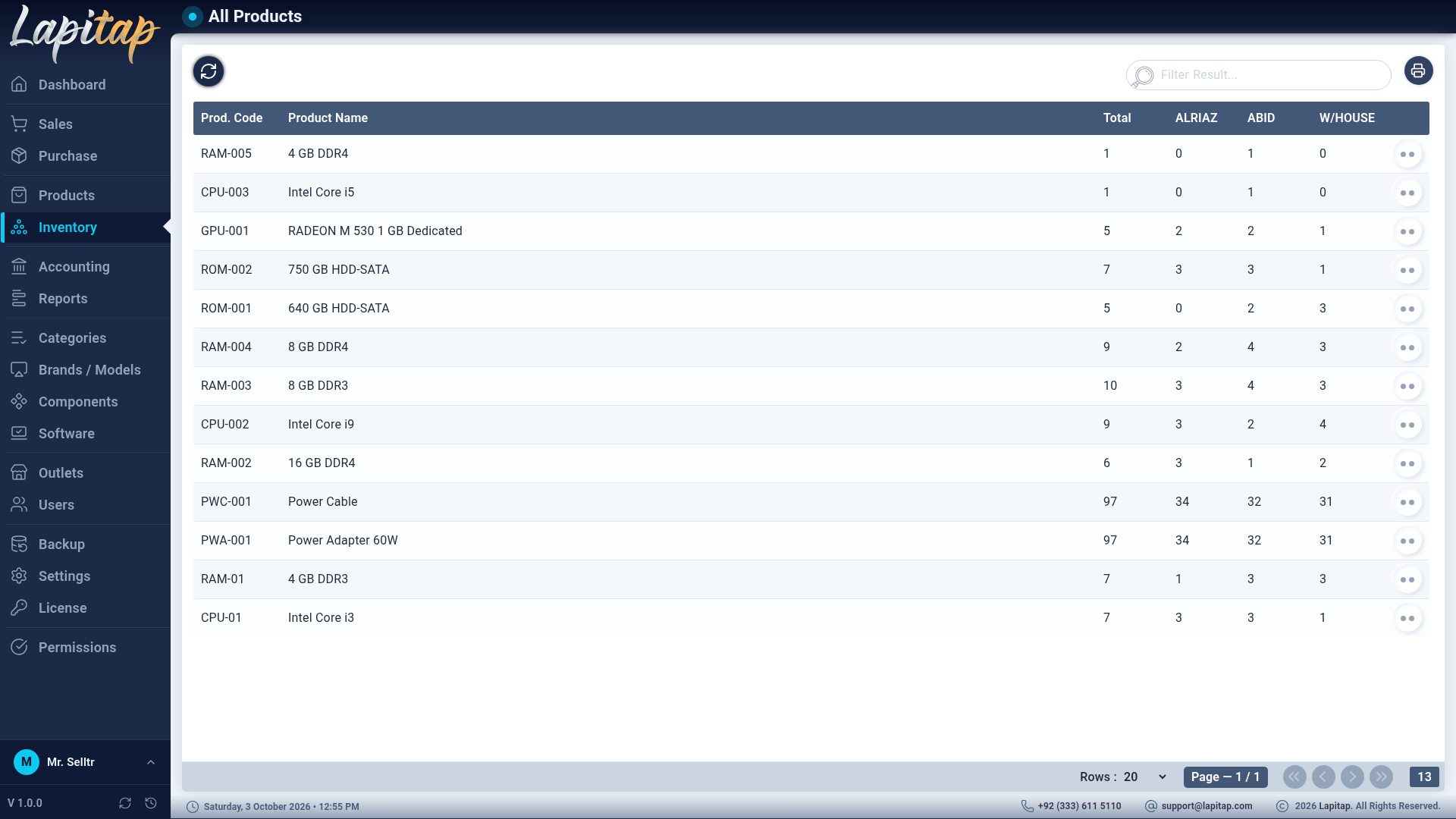
Add (251):
- Choose the Deal. Only deals with remaining quantity for this product's category are offered.
- The deal's remaining quantity is auto-split across outlets; edit the per-outlet figures. The total cannot exceed what the deal still has.
- Save. Totals, per-outlet quantities, the movement log and the deal's added quantity are updated.
Move between outlets#
Move (252): pick From Outlet, To Outlet and Move Qty. The quantity is capped by the source's on-hand stock; if it is not enough you see Insufficient quantity in source outlet. Both sides update atomically.
History#
History (253) shows the product's movement audit log — every add and move, with outlet names.
Selling parts#
Parts are added to a sale invoice. Stock is taken from the sale outlet first, then the Warehouse, then other outlets; the sale only fails if no outlet can cover the quantity. Voiding the sale puts it all back.
The Parts Health report flags low stock and slow-moving parts.