
v1 Atlas/Administration
Users
Create and manage staff accounts.
Users (permission 500; 501 add, 502 edit, 503 delete). The list shows every account except super admins.
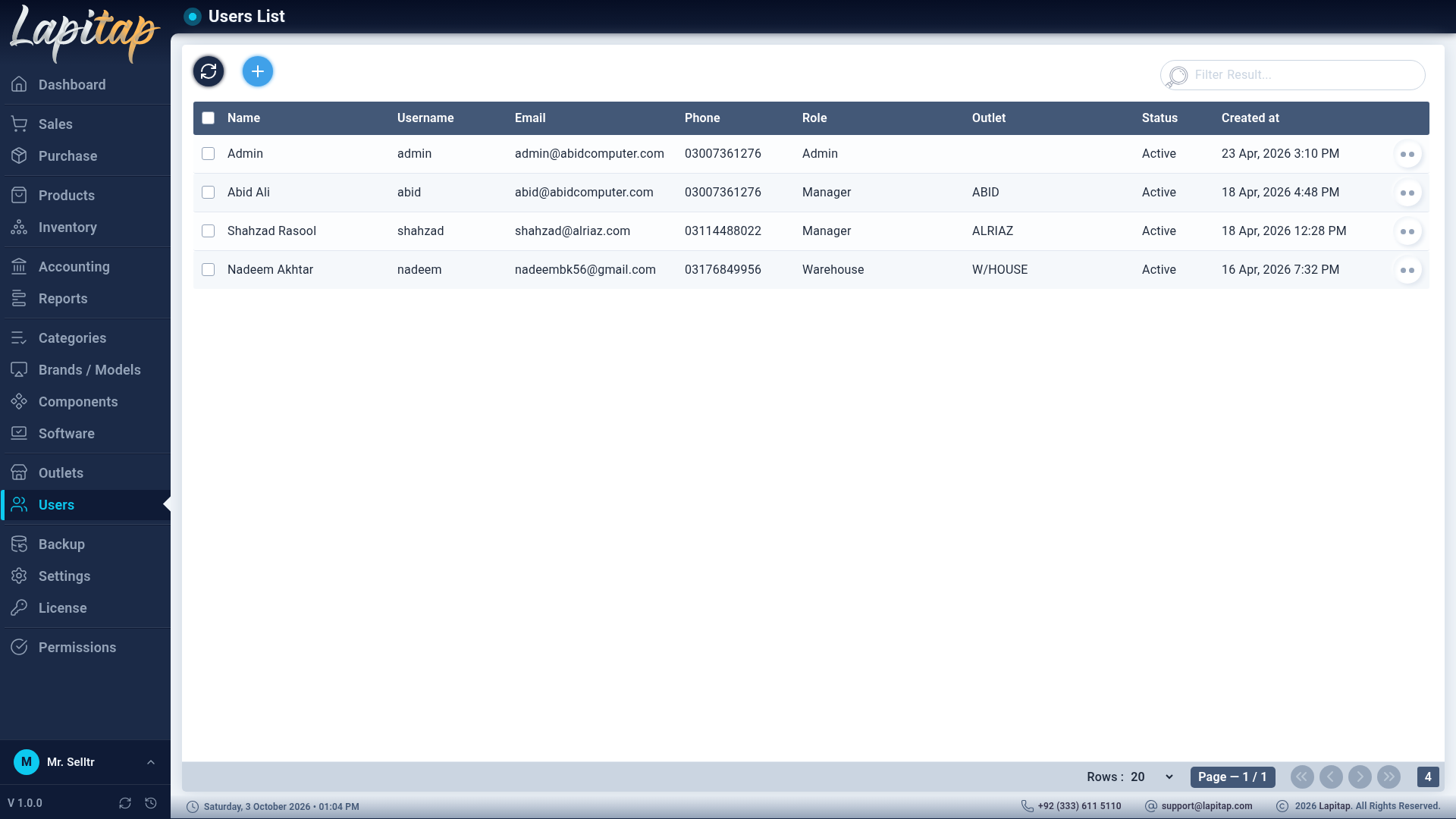
The list#
Columns: name, username, contact, role, outlet, status, creation date. Search covers name, e-mail, phone and outlet. Enable / Disable toggles an account, Edit, Delete; select several to delete.
User form#
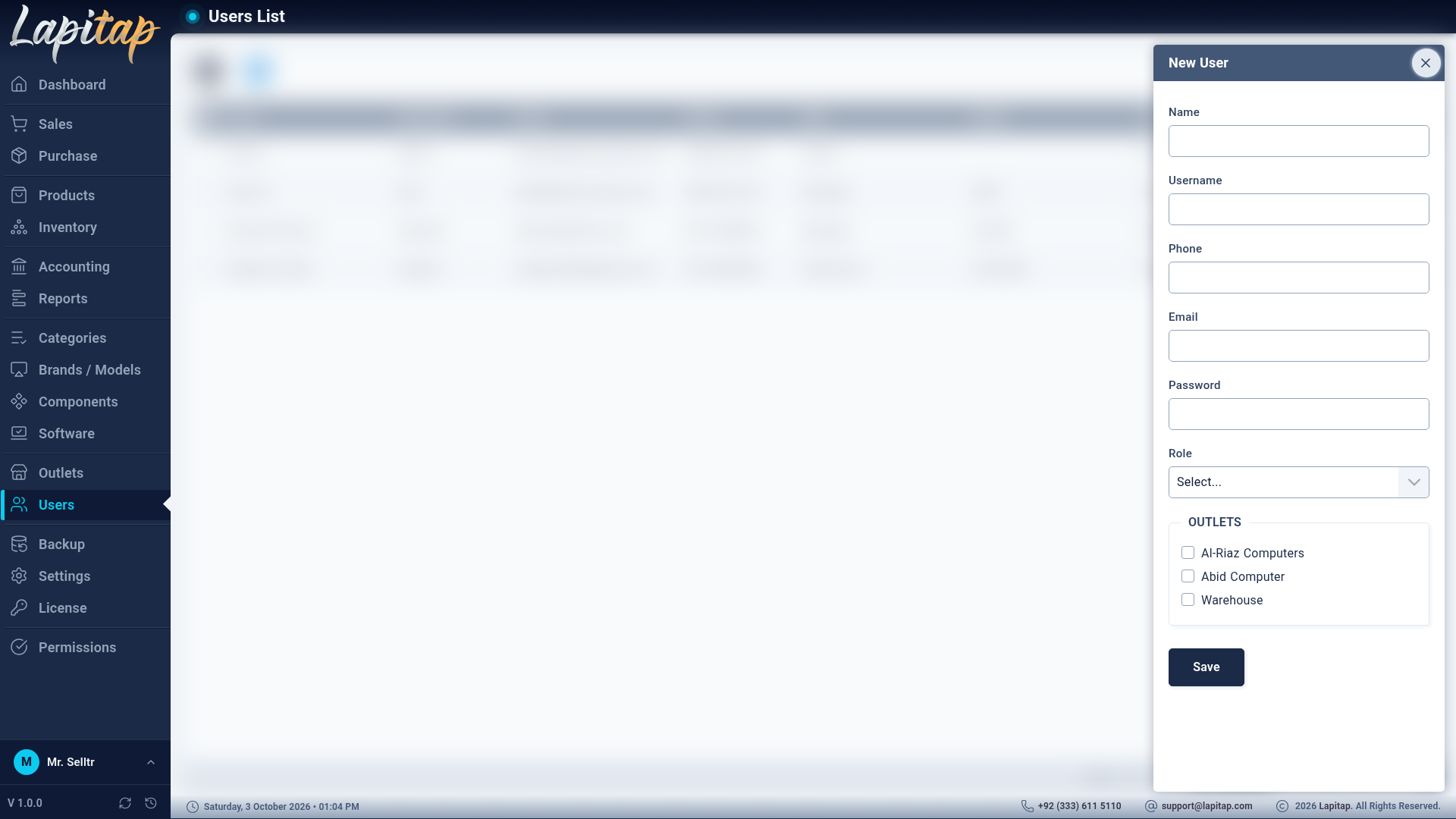
| Field | Rule |
|---|---|
| Name | Required |
| Username | Required, unique |
| Required, unique — the reset link goes here | |
| Phone | Required, 11 digits (stored as the last 11 digits) |
| Role | Required — decides what they can do |
| Password | Set on create; hashed. Leave blank on edit to keep the old one |
| Outlet | A single outlet, chosen from check-boxes |
IMPORTANT
Role and Outlet can be set only by a super admin. Someone who merely holds the edit-user permission cannot promote themselves or reassign an outlet.
Safeguards#
- Usernames and e-mails must be unique, with a clear message if not.
- Super-admin accounts and your own account cannot be deleted.
- Passwords are never sent back to the browser.
- Prefer Disable over Delete for staff who leave, so history such as Sold by keeps their name.
Every signed-in user can change their own password — Signing in & your account.