
Finding your way around
The sidebar, header tray, list screens, forms, pop-ups and footer.
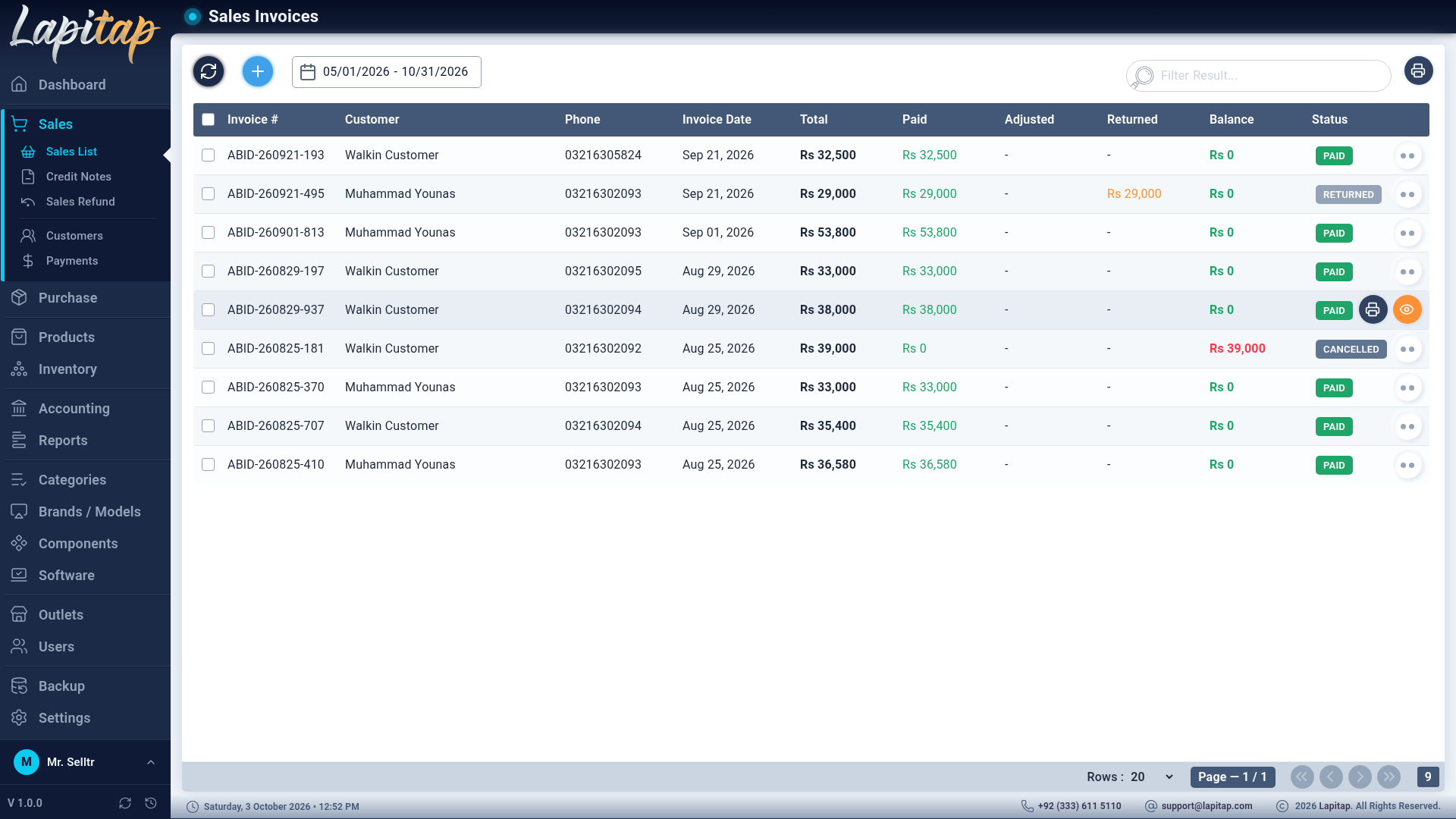
Sidebar#
Built from your permissions — whatever your role cannot use is hidden. A parent stays highlighted while any child page is open.
| Section | Pages |
|---|---|
| Dashboard | KPIs and charts |
| Products | Laptops, Scan Stock, Update Price, Moved Laptops, Sold Laptops, InWarranty / OutWarranty / Damaged / Scrap / Returned Laptops, Warehouse, Move Laptops, Processor, RAM, Storage, Graphics Card, Display Panel, Devices, Accessories |
| Inventory | Per-outlet stock of parts and accessories |
| Sales | Sales List, Credit Notes, Sales Refund, Customers, Payments |
| Purchase | Purchase List, Debit Notes, Purchase Return, Buy-Ins, Vendors, Payments |
| Accounting | Dashboard, Day Book, Expenses, Tax Payments, Transfer Funds, Owner Transactions, Balance Sheet, Profit & Loss, Chart of Accounts, Expense Types, Payment Methods, Bank Accounts, Mobile Wallets, Online Gateways, Taxes |
| Reports | The report library |
| Brands / Models | Brands, Series, Laptop Models, CPU Series, Generations |
| Categories, Components, Software | The catalog |
| Outlets, Users, Permissions | Administration |
| Backup, Settings, License | System |
At the bottom of the sidebar: your user card (change password, log out) and the version row (v x.y.z with check / history / install buttons — see Updates).
Header tray#
Small icons appear at the top of the page only when they have something to show — see Scanner, tray & labels.
List screens#
Almost every screen is a list with the same behaviour:
| Control | What it does |
|---|---|
| Search box | Filters as you type (it waits for a short pause); the fields searched depend on the screen (shown in each guide) |
| Date range | Transactional lists (sales, purchases, payments, notes, refunds, returns, expenses, transfers, buy-ins) load one date range from the server. The default is today; presets include Last 3/6 Months and This Year |
| Refresh (circular arrows) | Reloads the list |
| + (plus) | Opens the add form — only if you may add |
| Status filters | Tabs or radio buttons with live counts (payments, laptops) |
| Select boxes | Tick rows (or the header box for the page) to delete several at once, with a confirmation |
| Rows per page | 20, 50, 100, 200, 500 or 1000, with first / previous / next / last and a total |
| Row icons | Hover for the name of the action; their availability depends on status and permission |
Empty lists explain themselves ("Nothing was sold in this date range…").
Forms and pop-ups#
- Side panel forms (brands, models, components, software, permissions) sit to the right of the list.
- Pop-up forms (sales, purchases, payments, accounts…) overlay the page and blur it; Esc closes them.
- Required fields show a message under the field. Buttons are disabled while the request is running.
- Confirmation dialogs ask Yes / No; Esc answers No.
- Success and error messages appear as toasts at the corner.
Footer#
Left: a live clock (click it for an analogue clock) — replaced or joined by a licence notice when needed (Licence). Right: support phone, support e-mail and copyright.
Permissions at a glance#
Pages you may not open behave as if they do not exist (the app shows its "not found" page rather than "access denied"). Buttons inside a page appear only when your role includes the matching code — Permission codes.