
First-run installation
Prepare a brand-new installation with the default dataset. Done once, by the installer.
A new installation has no users. The Install flow loads the default dataset so the first person can sign in.
CAUTION
Installation wipes every collection in the database and re-imports the default dataset. Run it only on a brand-new, empty installation — never on a shop that already holds data. (To reset a live system see Factory restore.)
How it is protected#
The install endpoints are public (no user exists yet) but disable themselves unless three secrets are configured on the server, so a finished shop cannot be re-installed by a stranger.
| Secret | Purpose |
|---|---|
| OTP key | Lets you request a live one-time code |
| Install key | Lets you run the installation |
| TOTP secret | Generates the 6-digit code (30-second window; the previous window is also accepted for small clock differences) |
The keys come from Lapitap support. Only their SHA-256 hashes are stored on the server. Failed attempts are logged.
Steps#
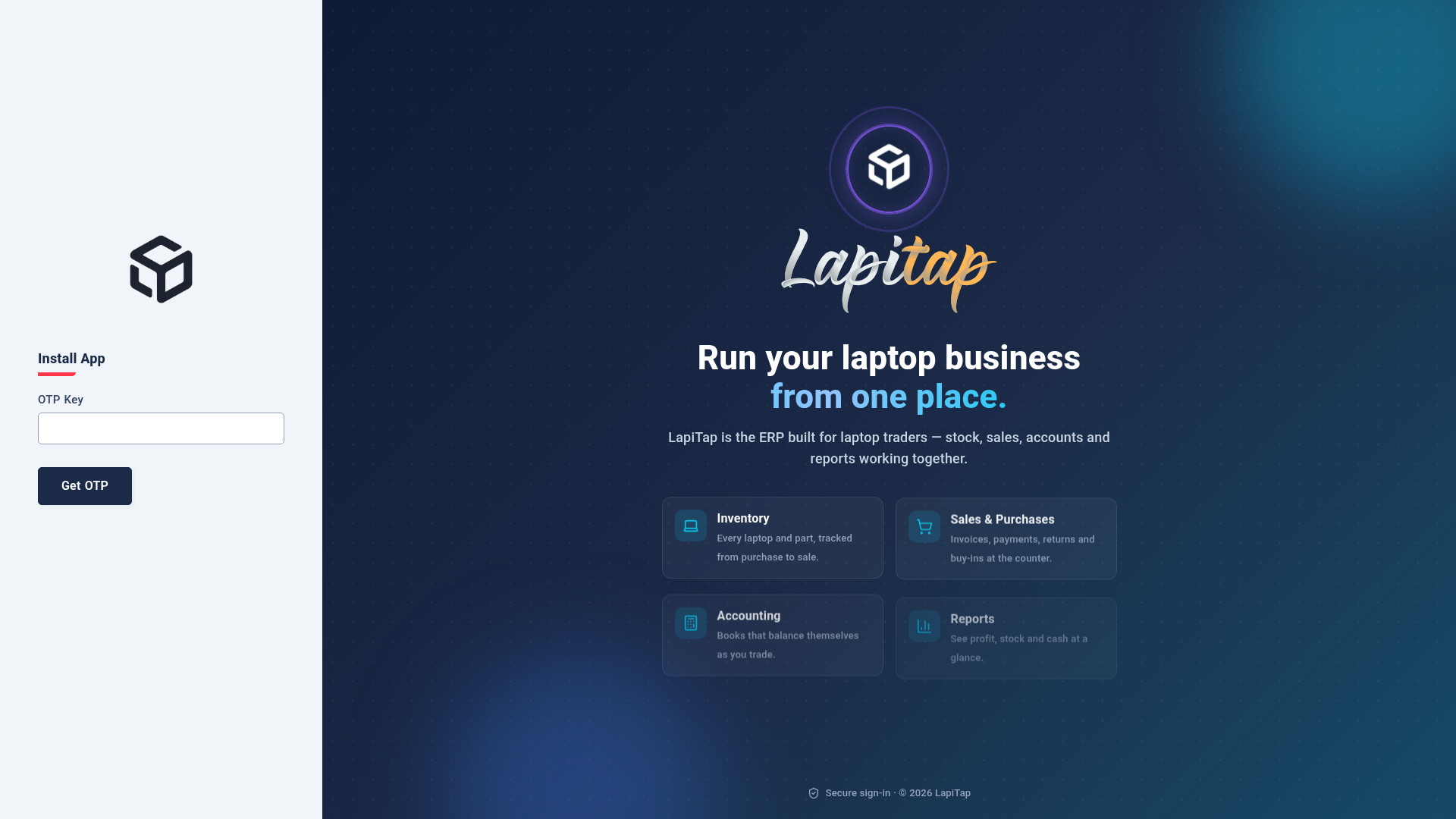
- Open the app address. When the server reports a fresh installation the login page offers an install link (or open
/install/otp). - Step 1 — OTP. Enter the OTP key. The server returns a live 6-digit code and how long it is valid.
- Step 2 — Install. Enter the install key and the 6-digit code (pre-filled if you came from step 1). Submit.
- The database is cleared, the default dataset is imported, and you are sent to the login page.
IMPORTANT
Change the owner password straight after the first sign-in and create named accounts for staff.
After installation — checklist#
| Task | Where |
|---|---|
| Create the Warehouse and branch outlets; set names, phones and branding | Outlets |
| Review categories, their accounts and taxes | Categories, Taxes |
| Fill brands, models and components | Catalog setup |
| Set up payment methods, banks and wallets | Accounts & payment setup |
| Configure outgoing e-mail | Settings |
| Schedule backups | Backups |
| Activate the licence (a 30-day trial runs until you do) | Licence |
| Create roles and users | Roles & permissions, Users |
Server notes (installer)#
- Per-install settings live in
config/local.json(site id, SMTP, allowed origins) and survive updates. - Backups need the MongoDB Database Tools (
mongodump,mongorestore) on the server. - Backups are written to
backups/beside the application. - The API runs under PM2; nginx serves the web app. Automatic updates need the update feed address — see Updates.